hot topics

The Best Antivirus Software For Device Protection

The Best Antivirus Software For Device Protection

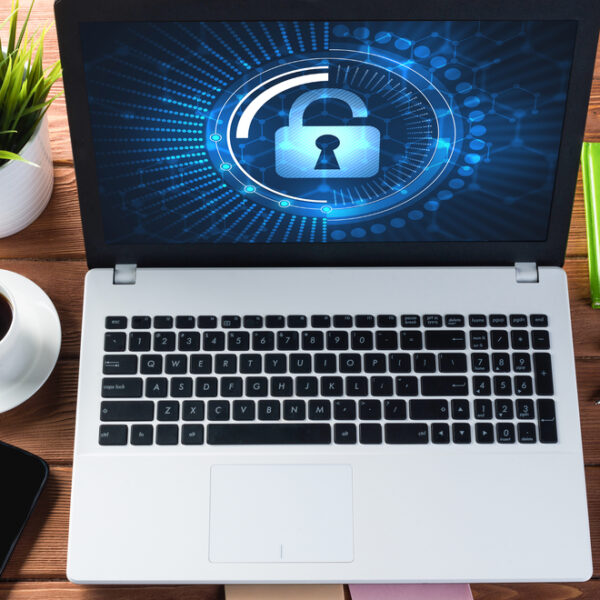
It is important to have the best antivirus software for your computer as well as on your mobile. Protection ensures the safety of your computer and mobile smartphones. This is essential as we store a lot of important information on the computer as well as the mobile. Everyday, there is news about hackers and cyber criminals breaking into systems that were considered strong, such as banks and government offices. They launch malware, ransomware, viruses, and Trojan horses to disturb the functioning of these organizations. Phishing allows the cyber criminals to get personal information stored online. Hackers are finding newer, creative, and different ways to penetrate into your PC and other Internet-enabled devices. The best companies in the industry are updating their products. Once it enters the market, the user sees many changes have taken place; phishing scams, malware, viruses, ransomware need to be tackled head on. You have to be sure that the antivirus suite has a complete set of security tools that the software can provide. For all-round protection it is best to invest in the best antivirus. It is not necessary that your spending money that will give you the best antivirus many free antiviruses are also all rounder’s in giving protection.
Know All About The Effectiveness Of Free Antiviruses

Know All About The Effectiveness Of Free Antiviruses

When the question of computer protection arises, the variation seen in free antivirus programs is similar to that provided by the paid security programs. System users who are economical and are on the hunt to find antivirus programs that do not add up to their cost have a wide array of options to choose from such as AVG, Avira, and Comodo.  All one requires to do is select the appropriate antivirus program that best suits their requirements of security. For deciding which among the lot would be the best free antivirus program, tests are conducted on them individually. The entire lot of Trojans and malware are employed to determine the performance, speed and reliability of the antivirus programs. Based on such tests, one can determine as to how reliable and antivirus software can be in preventing the malware and how effortlessly it can carry out its task of protecting the system. However, an individual should understand while making a choice between free antivirus programs and paid antivirus software that the facilities and benefits provided by paid antivirus programs are not the same as those covered under free antivirus programs. First and foremost, an individual who goes in for a free antivirus software compromises on the future assistance in case there is an untold event or if there is a disinfection required to be done.
Reasons To Install An Antivirus In Your Smartphone

Reasons To Install An Antivirus In Your Smartphone

The thing we need to understand about viruses is that some platforms are more prone to viruses than others. This is simply because it’s easier for the virus makers to get a return on their investment if they make it for platforms that most people use or the ones easier to get into and get people to download these viruses. So, the reason that Apple faces fewer viruses is mostly because there are fewer people using Apple computers compared to the large population using Windows and other operating systems. So, it’s more profitable for the hackers to make a virus for Windows. When it comes to a smartphone these days, there are millions and millions of users. However, the way we download programs onto a smartphone is different to how we do on a computer. When you download a program on the computer, you can get it from any website. So, it’s really easy for a virus creator to get the virus in your computer as it could be sent through the email. Different operating systems On phones with Android and iOS, the types of viruses are different because you have to download any software through an app marketplace. On iOS you have to download it from iTunes and on Android, you download apps through Google Play, but that is not always the case.
How To Deal Phishing Attacks

How To Deal Phishing Attacks

Most people would have probably seen it but are unaware of it. You receive an email, phone call, or text message from your bank or funding company asking for your information. It might appear to be real, but it’s built to track you in handing over important information. This is a scam called Phishing which you need to avoid. Most of us are used to doing business online, we buy and sell things, we have accounts with sensitive information. The risk of doing business online is low as long as you deal directly with organizations your trust. Problems crop up when offenders impersonate these organizations to make you believe they are authentic and collect sensitive information like account numbers, pin numbers, and passwords. The key to avoiding this scam is awareness. For example, you receive an email that looks like a trustworthy message from the bank, it may ask you to click a link to verify information. You may assume its true and login to what appears to be your bank’s website at this point he phishing is complete. You have now handed over your bank password to the crooks who can use it to take your money. What does a Phishing email look like?
Is The Installation Of Multiple Antivirus Software A Good Idea

Is The Installation Of Multiple Antivirus Software A Good Idea

An antivirus software is a tool to prevent and save the PC from unwanted cyber attacks. Some PC users believe that installing more than one antivirus software program designed by different producers on to their systems will enhance the protection of their PC as well as safeguard the data held by the system from several cyber threats out there. These are those users that strongly believe in the proverb that ‘four eyes see more than two’. However, if believing in such proverbs could save PC systems from such cyber threats, then the cyber world would have been an entirely different scenario altogether. PC users should understand that even if the computer system and the corresponding antivirus programs installed on it came from the same manufacturer, it doesn’t ensure complete PC protection. When several antivirus software programs are functioning on a single system, it may result in a disruption between the resources of the system. Every antivirus software program that is installed on to the system tries to gain control over several operations such as writing files, network connection establishment, etc., thus resulting into a dysfunction with the Windows operations that get in their way. The consequences of such dysfunctionality may be different.
Different Types Of Malware You Should Be Aware Of

Different Types Of Malware You Should Be Aware Of

Malware is short for malicious software. These computer programs infiltrate and damage computers without user consent. Malware covers every type of threat your computer faces like viruses, worms, spyware, Trojans, rootkits etc. Cyber attacks and malware are the biggest threats on the Internet today. History of malware With the world wide web coming into existence, the world saw the Internet take off in the early 1990s, with people seeing it as a means to deliver services and goods. But there were many who misused it to make money in the wrong way. Viruses were spread via CD ROM and floppy discs, and then through emails. Emails allowed the spread of malware through attachments. It was highly potent for those who had no malware protection. Different types of malicious software created problems for computer users of the 90s – deleting data, corrupting hard drives, playing sounds repeatedly or putting absurd messages on machines. Some attacks appeared to be simple, but laid the foundation for malware as we know it today. For e.g., the Casino Disk Destroyer was a form of malware which would destroy the content on the disk completely. Different kinds of malware and their attacks Malware, just like traditional software, has progressed over the decades and is different according to the objective with which it has been formed.
Does Mac Get Attacked By Malware And How To Protect It

Does Mac Get Attacked By Malware And How To Protect It

Whether you are a proud Mac owner or planning to get yourself one, you need to know how to keep your system protected when using the Internet. Mac computers are generally thought to be very secured compared to Windows powered devices, thanks to their UNIX operating systems. Even if they have a strong security system, it does not mean that they are immune to attacks completely. With these attacks becoming more and more frequent, you still need a good all-encompassing and powerful antivirus program even if you have personally never been the target of cyber attacks. Last year alone saw two of the world’s worst ransomware attacks which occurred within a month of one another. In 2017, a massive cry attack crippled the world’s computers which attacked both Mac and Windows alike. It led to a huge chaos and hundreds of flights were grounded. Soon after a month, there was another attack, which went for the jugular. International banks and government intranets buckled at an alarmingly rapid rate. There is no guarantee of what will happen in the world of Internet. Moreover, your computer systems need to be protected when it happens. It was frightening enough when the security researchers were probing and following these recent cyber attacks.
Can An Antivirus Software Slow Down A Pc

Can An Antivirus Software Slow Down A Pc

People have a lot of myths and misconceptions about downloading an antivirus software as they think it probably interferes with the system’s performance and stops the functioning by 5%. Earlier, we knew that running the scans, deleting a virus, detection of threats, while done in the background, affected the processing of the system severely. Not only did it slow down the system, but it was also responsible for the system lagging sometimes as well. However, nowadays, there is no dearth of technology. When an antivirus works in the background, the system is not used as the source of power as it is all done on the Cloud. Hence, the whole process is much lighter compared to the earlier days. Not just making Internet browsing safe but giving no interruptions is very important when it comes to the antivirus features, which indeed leads to a great customer experience. You need to understand what infected your system before you decide on whether the antivirus slowed down the function or the browsing of Internet. Computers make our day-to-day life easier except for when a slow RAM or a virus blocks the working. Reasons for the system slowdown includes the fact that the RAM is not upgraded, too many applications are running in the processor, etc.
Difference Between Trojans And Viruses

Difference Between Trojans And Viruses

Viruses and Trojans are types of malicious software or code. They are designed to steal damage and inflict damage on the data, the network, and the computer. Systems can be affected by the malware when they are bundled with other programs or are attached to the macro files. Others damage the operating system, software, and network device. A vast number of malware files are downloaded by downloading an attachment or clicking on an email. Some of the types of common malware include viruses, Trojans, worms, spyware, ransomware, and bots. Damages may lead to pop-up ads, stealing personal information, money, data destruction, and disabling systems. Malware also damage the hardware of PCs. While referring to a computer virus, most people use viruses and Trojans interchangeably. However, they are not the same. Viruses and Trojan horses are all malicious programs and cause damage to the computer. Trojans A Trojan or Trojan horse is not a virus, but a type of malware that presents itself as legitimate software. It is used by hackers and cyber thieves to gain access to the user’s system by tricking them into downloading the Trojan. Trojans open back-door access into your computer system, allowing them to go through your personal and confidential information.
All About Anti-Spam And Antivirus

All About Anti-Spam And Antivirus

A virus is a specific type of malware that is made to replicate and spread out to infect the system. Malware is a broad term that encompasses a lot of malicious code like virus, spyware, adware, worm, Trojan, and nagware. Ever since the creation of viruses, protecting systems became important. Thus, the creation of the antivirus came about. An antivirus protects the system from viruses, and there are specific ones that go well with Windows and others with Mac systems. It is best to have more than one antivirus working to keep your system safe. Spam and anti-spam The biggest problems these days are unwanted programs that, when downloaded, bombard the system with advertisements that slow the system down. These programs fool your system into thinking that they are important, but they are, in fact, there to steal your information or take money. Unsolicited email is called spam and it is usually commercial in nature. It has specific features that describe it–a signature, if you may. It is designed to cause harm. A virus and spam are filtered in a different manner. The anti-spam may catch a virus if it looks like it. Spam mails are junk mails. They are mostly marketing messages that are sent without the user’s consent.
Best Antivirus Of 2018 In The Country

Best Antivirus Of 2018 In The Country

It doesn’t matter what you use your PC for; you could simply be posting on social media, you will still need antivirus protection. This list of best antivirus software of 2018 has been put together after studying results of independent antivirus testing labs, adware, spyware, and malware defenses, multilayered malware protection, ransomware protection, firewalls, and more. So, which are the best antivirus software in 2018? Bitdefender Antivirus Plus This antivirus has a new user software, VPN, additional ransomware protection, and even a network threat scan, along with great antivirus test results. It also has multi-layered ransomware protection, banking protection, as well as a password manager. However, a separate subscription is required for unlimited VPN access requires separate subscription. Kaspersky Anti-Virus One of the most popular antiviruses on most lists, Kaspersky has great scores for testing labs, has excellent malicious URL blocking as well as malware blocking, has options for multiple bonus scans as well as 24×7 live chat and phone support. On the downside, the antivirus doesn’t score so well on anti-phishing tests. Nevertheless, the antivirus has remained a top favorite. Symantec Norton AntiVirus Basic One of the best-known antiviruses, Norton scores high on exploit and malware protection, as well as the malicious URL blocking tests.